
Quick Tips To Spot Fake Sites and Protect Your Data
Have you ever clicked a link and later wondered if it was a mistake? The truth is, even the most tech-savvy professionals can be fooled by a website that’s been intentionally designed to trick you.
Online scams aren’t the obvious, clunky, and typo-ridden traps they used to be. Thanks to artificial intelligence, cybercriminals can build professional-looking websites in minutes. And, with one wrong click, you can open the door to:
- Data loss that disrupts your daily operations.
- Financial fraud that drains your bank accounts.
- Reputational damage that erodes customer confidence and trust.
- Compromised customer data that triggers legal and compliance headaches.
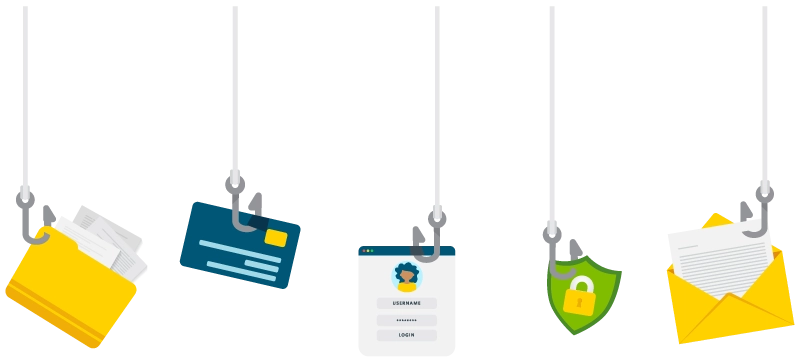
The stakes are high. In 2024, IBM reported the average global cost of a data breach at $4.88 million. For small to medium-sized businesses (SMBs), even a fraction of that number can be devastating.
Here’s the good news—you don’t need a degree in cybersecurity to spot the warning signs of a meddlesome website. By following a few expert-proven safety tips, you can protect your business from making costly mistakes.
Why Website Safety Matters for SMBs
Imagine your business’s network like your office building—or better yet, think of it like your own home. You wouldn’t leave the doors unlocked overnight, would you? You certainly wouldn’t let strangers wander in without asking who they are or why they’re there.
Safe web browsing practices work the same way as physical security measures like locks and cameras do. You’re keeping the bad actors out before they can cause trouble.
Unfortunately, one misguided website visit can lead to operational downtime, unexpected expenses, loss of reputation, and regulatory penalties. A small brush-up on safe website browsing practices can go a long way in protecting yourself, employees, customers, and reputation.
7 Ways To Check if a Website Is Safe
Here’s a go-to website checklist to help you evaluate whether a site is legitimate and trustworthy before you click, share, or download.
1. Look for HTTPS
At the start of the URL, you should see https://, along with a padlock icon in your browser’s address bar.
- What It Means. HTTPS encrypts the connection between your browser and the website, protecting any data you send.
- What It Doesn’t Mean. It’s not a guarantee that the site is legitimate or safe. Scammers can get HTTPS certificates too.
Pro Tip: If a site only shows http://, avoid entering sensitive information like credit card numbers or passwords. Think of HTTPS as the seatbelt for your data—it’s not the whole safety system, but it’s a critical component.
2. Pay Attention to Browser Warnings
If your browser flashes a warning like “Your connection is not private,” don’t ignore it. These alerts often mean there’s a problem with the site’s SSL certificate, which keeps your data secure during transmission.
Pro Tip: Treat browser warnings like a fire alarm—they may be annoying and inconvenient, but they’re there to protect you.
3. Inspect the URL Carefully
Cybercriminals are clever. They use typosquatting to register domains that look almost identical to real ones—for example, amaz0n.com instead of amazon.com.
Look for extra characters, swapped letters, or suspicious domain endings (like amaz.on or tiiktok.com). If you’re ever in doubt, type the web address directly into your browser instead of clicking a link from an email or advertisement.
Pro Tip: Hover over links before clicking. Most browsers will display the actual destination (URL) at the bottom of the window.
4. Ask Yourself: “Is It Too Good To Be True?”
Threat actors make easy targets out of gullible browsers. If a site promises designer handbags for $20 or “guaranteed” overnight wealth hacks, your scam alert radar should be going off.
Scammers rely on urgency to override your better judgment. They try to get you to act before you have time to assess and verify the legitimacy of the website.
Pro Tip: Always validate special deals and offers with a trusted source or retailer.
5. Evaluate the Website’s Design
You don’t need a professional eye for graphic design to recognize a sketchy website. Legitimate businesses invest in professional, consistent branding. If the website looks outdated, uses blurry images, or has mismatched colors and fonts, browse with extra caution.
Pro Tip: Think of a website as a real storefront. If the paint is peeling and the sign is falling down, would you go inside?
Is your website in need of a facelift? A modern, user-friendly design not only builds trust with visitors but can also improve security by keeping your platform updated and compliant with the latest standards.
6. Watch for Typos
Nobody’s perfect. One or two minor errors are bound to happen, even on trustworthy websites. However, if you see frequent spelling mistakes, broken English, or awkward grammar, it’s a red flag.
Pro Tip: Many scam sites are thrown together quickly and have typos, but AI is making it easier for threat actors to put together seemingly legitimate websites with improved grammar. Browse carefully.
7. Avoid Pop-Up Interactions
Aggressive pop-ups urging you to enter information, download software, or “claim your prize” are classic phishing scams.
Pro Tip: If the pop-up makes you feel like you’re on a carnival midway (“Step right up! Don’t miss out!”), close the tab.
Keeping Your IT Up-to-Date
Spotting a fake website is just one step in building a strong cybersecurity strategy for your business. Real protection comes from combining education, good habits, and professional support:
- Managed IT Services to ensure your entire network is in tip-top shape.
- Regular updates to patch security vulnerabilities.
- Security Awareness Training (SAT) to help employees spot phishing attacks before they click.
- Cybersecurity Risk Assessments to find and patch weaknesses before attackers exploit them.
We Help Keep Your Business Safe.
Don’t wait for a wake-up call—cybercriminals are waiting for you to let your guard down. At High Touch, we help businesses stay ahead of threats with Managed IT and Cybersecurity services that help protect your people and data.
Contact us today to talk to an expert and see how we can help keep your business safe from online scams.