
Using Protective DNS To Help Reduce Cyber Risks
An employee receives what appears to be a Microsoft 365 login notification. The email looks legitimate, the branding checks out, and the message creates a sense of urgency. They click the link and enter their credentials.
Unfortunately, the website isn’t Microsoft at all…it’s a phishing page designed to steal usernames and passwords.
Many cyberattacks don’t begin with sophisticated hacking techniques; they begin with a single click.
According to Verizon’s 2025 Data Breach Investigations Report (DBIR) SMB Snapshot, ransomware was involved in 88% of breaches affecting small and midsized businesses. Meanwhile, the FBI’s 2025 Internet Crime Report identified phishing and spoofing as the most reported cybercrimes, receiving 191,561 complaints.
Reducing cyber risk isn’t always about adding another security product. Sometimes, it’s about putting the right safeguards in place before an employee ever reaches a dangerous website.
That’s where DNS filtering comes in.
While it isn’t a replacement for endpoint protection, email security, or multi-factor authentication (MFA), DNS filtering provides an early layer of defense that can prevent users from connecting to known malicious websites before a page even loads. For many small and mid-sized businesses, DNS filtering is one of the simplest and most cost-effective ways to strengthen an existing cybersecurity strategy.
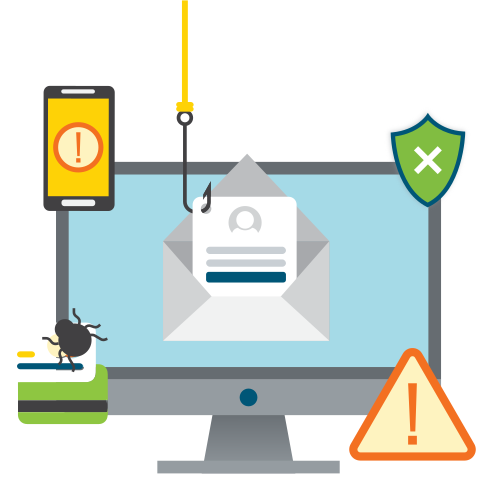
What Is DNS Filtering?
DNS filtering is a cybersecurity control that blocks access to known malicious or inappropriate websites during the Domain Name System (DNS) lookup process before a website loads.
Every time you visit a website, your computer first needs to determine where that website lives on the internet. DNS acts like the internet’s address book, translating easy-to-remember domain names (like hightouchtechnologies.com) into the IP addresses computers use to communicate.
DNS filtering adds a security checkpoint to that process.
Before allowing a connection, the DNS service compares the requested website against continuously updated threat intelligence. If the destination has been identified as malicious, associated with phishing, malware, ransomware, command-and-control activity, or other known threats, the request is blocked before the browser can retrieve any content.

Cloudflare describes DNS filtering as a method of blocking malicious domains at the DNS resolver level before a connection is established. The Cybersecurity and Infrastructure Security Agency (CISA) refers to this broader security approach as Protective DNS (PDNS)—using DNS services to prevent users and systems from reaching malicious destinations while providing valuable visibility through logging and alerts.
Why Businesses Are Adding DNS Filtering
Think about how many website links employees at your organization interact with every day. They click links in:
Each click is an opportunity for cybercriminals to redirect someone to a malicious website.
How Does DNS Filtering Work?
DNS filtering happens before you ever reach a website. Here’s what happens behind the scenes:
- You click a link in an email, chat message, Google search, social media, etc.
- The device you’re using sends a DNS request.
- The DNS filtering service checks whether your intended destination is safe.
- If the website is trusted, the connection continues and the page loads normally.
- If the domain is known to be malicious, the connection is blocked before the webpage, download, or login screen appears.
Since DNS filtering works before webpages load, it can often stop phishing sites, malware, and other malicious destinations before you have a chance to interact with them.
A Real-World Example of DNS Filtering
Imagine one of your employees receives an email that appears to be from a trusted supplier. The message includes an invoice that needs immediate attention, so they click the link expecting to review it.
Without DNS filtering, the browser loads a convincing phishing page designed to steal credentials.
With DNS filtering in place, the malicious domain is identified before the webpage loads. Instead of seeing a fake login page, your employee sees a message explaining that access has been blocked because the destination is unsafe.
The phishing attempt ends before anyone can enter a username or password.
DNS Filtering Vs. Web Filtering
| DNS Filtering | Web Filtering |
|---|---|
| Blocks malicious domains during DNS lookup | Inspects websites after a connection begins |
| Stops websites before they load | Can block specific pages, files, and content categories |
| Ideal for preventing access to known malicious destinations | Better for detailed browsing policies and acceptable-use enforcement |
| Low user impact | Greater inspection and policy flexibility |
DNS filtering and web filtering solve different problems. Think of DNS filtering as the security guard at the front entrance. It decides whether someone gets through the door. Web filtering acts more like an officer inside the building, monitoring activity once someone has entered.
Many businesses benefit from both technologies. If your immediate goal is reducing exposure to phishing, malware, and ransomware, DNS filtering is often the first place to start.
5 Benefits of DNS Filtering for Your Business
DNS filtering isn’t just about blocking websites—it’s about reducing opportunities for cybercriminals to take advantage of your employees and your business. Here are five reasons organizations are making it part of their cybersecurity strategy.
1. Help Reduce Your Risk of Phishing Attacks
Most phishing events start when someone clicks on a malicious link. DNS filtering helps break that attack chain by blocking access to known phishing websites before they load. Even if an employee clicks a convincing link in an email, they may never reach the fake login page or malware-hosting website.
While no security solution can catch every phishing attempt, adding DNS filtering can significantly reduce your organization’s exposure to known threats.
2. Stop Malware Earlier in the Attack Chain
The sooner you stop a cyberattack, the less opportunity it has to spread. Rather than waiting for malware to reach a computer before responding, DNS filtering helps prevent many malicious connections from happening in the first place.
This early intervention can reduce the number of security incidents your IT team needs to investigate while minimizing downtime for employees.
3. Help Protect Remote and Hybrid Employees
Whether your employees work from home, travel between job sites, or visit customers throughout the day, they’re constantly connecting to websites from different networks.
Modern DNS filtering solutions can extend protection beyond the office, helping secure laptops and mobile devices wherever work happens. CISA recommends protecting roaming devices with authorized or Protective DNS services so users receive consistent protection regardless of location.
4. Gain Better Visibility Into Web-Based Threats
DNS filtering doesn’t just block malicious websites—it also helps you understand what’s happening across your entire IT ecosystem.
Many solutions provide reporting that highlights:
These insights can help your IT team identify patterns, investigate suspicious activity, and strengthen your overall security posture.
5. Strengthen Security Without Creating More Complexity
One of the biggest advantages of DNS filtering is that it works quietly in the background.
Your employees don’t need to learn a new application or change the way they work. Most of the time, they won’t even realize it’s there (unless it prevents them from visiting a dangerous website).
Understanding the Limitations of DNS Filtering
DNS filtering is an effective security control, but it’s important to understand what it isn’t designed to do.
Is DNS Filtering a Good Fit for Your Business?
For many small and mid-sized businesses, DNS filtering is one of the easiest ways to strengthen security while improving visibility into web-based threats. DNS filtering can benefit organizations of every size, but it’s especially valuable if your business does any of the following:
We Help Keep Your Business Safe.
Every business has different technology, employees, and security priorities—that’s why there’s no one-size-fits-all approach to cybersecurity.
If you’re wondering whether DNS filtering is the right fit for your business, let’s start with a conversation. Our team can evaluate your current security environment, identify gaps, and help you determine where DNS filtering fits into your broader cybersecurity strategy.
Whether you need Managed IT, Cybersecurity, or Security Awareness Training services, we’re here to help make technology easier for your business. Contact us today to learn more.