
Recognizing Today’s Most Convincing Email Threats Before They Put Your Business at Risk
A vendor you’ve worked with for many years emails your Accounting team with updated payment instructions. The message includes the vendor’s correct logo, a familiar email signature, and a reference to an invoice that’s actually due.
Nothing looks obviously wrong until someone notices that the sender’s domain contains rn instead of an m. That tiny detail is all the difference between processing a routine invoice and sending money to a criminal. With AI tools, modern email threats are often polished, well-written, timely, and convincing—they can even come from a legitimate account that a threat actor has compromised.
In 2025, the FBI received 191,561 phishing and spoofing complaints. Business email compromise generated 24,768 complaints and more than $3 billion in reported losses. These figures reflect incidents reported to the FBI’s Internet Crime Complaint Center, so they should not be treated as the total number of attacks.
Employees can help prevent these threats from becoming security incidents for your organization. The seven red flags below will show you where to look, what deserves a closer inspection, and how to respond when an email doesn’t feel right.
What Is an Email Cyberattack?
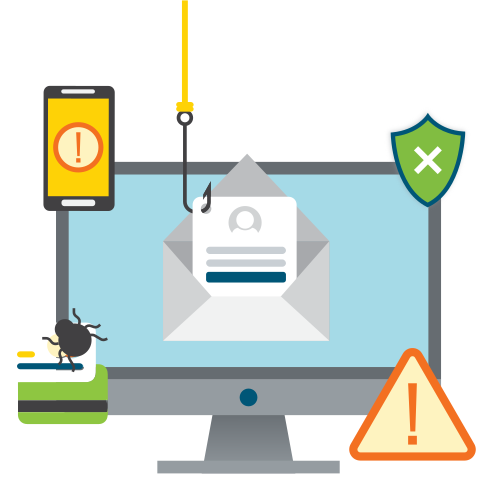
An email cyberattack uses an email message to gain access, steal information, redirect funds, or deliver malicious software. Often, the tactics cybercriminals use overlap—for example, a phishing email may lead to a fake Microsoft 365 sign-in page. A business email compromise (BEC) attempt may impersonate an executive or vendor to change payment instructions. An attachment may install malware or send the recipient to a credential-stealing website.
Poor spelling is still worth noticing, but clean grammar no longer proves that a message is safe. Attackers can use AI to create natural-sounding emails or support more complex malicious content. For example, Microsoft documented a 2025 campaign in which messages sent from a compromised small-business account included an SVG attachment named to resemble a PDF. The file redirected recipients toward a likely credential-theft flow. The campaign is a useful reminder to evaluate the whole message, including its context and destination.
7 Email Red Flags To Check Before You Click or Reply
1. Take a Closer Look at the “From” Line
It’s easy to mask your identity. A display name can say Microsoft, First National Bank, or even your CEO’s name, while the underlying email address belongs to someone else.
Expand the sender details and look for misspelled domains, substituted letters, unexpected free email services, or a Reply-To address that differs from the From address.
Depending on your email provider and security settings, an external-sender banner might prompt you to take a closer look at the email; however, that banner alone doesn’t prove whether an email has malicious intent.
2. The Recipients, Timing, or Conversation Don’t Make Sense
Context can reveal a threat even when the sender’s address appears legitimate. Ask whether you normally handle this account, whether the timing is unusual, and whether the request fits the conversation. Likewise, watch for unfamiliar people in the To or Cc fields, a message sent only through Bcc, or a surprising request inserted into an existing thread.
A compromised account can pass the sender-address test, which makes these details especially important.
3. The Email Pressures You To Act Quickly or Secretly
Cyber criminals often use urgency or high-pressure tactics to make you forget to stop and think when you open an email. Some common examples include a warning that your account is about to be closed, that a package will be returned, or that a payment must be completed immediately.
Executive impersonation scams may ask an employee to buy gift cards or keep a request confidential, because the executive is “in a meeting.”
An urgent request can be legitimate, but it should still allow you to follow your company’s verification and approval process.
4. The Request Involves Money, Credentials, or Sensitive Information
Pump the brakes whenever an email requests a wire transfer, new vendor banking details, a payroll change, a password, or a multifactor authentication code. The same caution applies to employee records, customer data, tax documents, and other confidential information.
Always confirm financial or account changes through an established contact method, such as a known phone number. Do not use the contact information provided in the suspicious message.
5. A Link or Button Hides an Unexpected Destination
Remember the days of getting Rickrolled? Just because a link says “click here to review the document” doesn’t mean that’s where it goes.
On a computer, hovering over a link can reveal the real destination. Look for misspellings, unrelated domains, shortened URLs, or extra words placed around a familiar brand name. When an email says you need to check Microsoft 365, a bank account, or a delivery, open the organization’s known website or mobile app instead of using the link in the email.
6. The Email Contains an Unexpected QR Code
QR code phishing (also known as quishing) hides a link inside an image. Scanning the code may move the interaction to a personal phone where different security controls apply. Common lures involve package deliveries, account problems, invoices, or required security updates.
The Federal Trade Commission has warned that threat actors are using malicious QR codes to lead unsuspecting targets to a convincing fake site or install malware. If the email was unexpected, use the official app or a website you already know instead.
7. An Attachment or File-Sharing Alert Was Not Expected
Treat an unexpected invoice, resume, voicemail file, shipping notice, or shared document with care. Executable files, compressed files, HTML files, files with unknown extensions, and files with double extensions deserve extra scrutiny.
Familiar file types are not automatically safe, either. Fake Microsoft 365, SharePoint, DocuSign, Dropbox, and Google Drive notices can lead to credential theft. Always be sure to confirm unexpected files with the sender through a known channel.
What Should You Do With a Suspicious Email?
Once you suspect you’ve encountered a malicious email, stop interacting with it immediately. Avoid clicking links, scanning codes, downloading files, replying, or casually forwarding the message to coworkers. Follow your company’s process for reporting suspicious emails, such as using a phishing report button or contacting your IT or security team.
You should also verify the request through a separate channel. Call the sender using a number you already have, start a new message using a saved address, or sign in through the organization’s official website.
If you have already clicked, downloaded, or entered information, report it immediately and explain exactly what happened. Fast reporting gives your security team more time to protect the account, block the destination, and warn other employees. If money is involved, notify the appropriate financial contact right away.
How Can Businesses Strengthen Email Security?
Technical controls and clear procedures provide additional protection before and after a suspicious message reaches the inbox, whereas Security Awareness Training helps ensure that employees can detect malicious emails.
Email filtering and advanced threat protection can analyze senders, links, attachments, and message behavior. Website filtering and DNS protection may block access to known malicious destinations after someone clicks. Multi-factor authentication (MFA) can help limit certain forms of account takeover, while payment verification procedures can reduce the risk of BEC fraud.
Ongoing Security Awareness Training (SAT) helps employees recognize current tactics and practice reporting them. Training works best when the process is clear, and employees know they will be supported in reporting quickly, even if they have already interacted with the message. Phishing simulations can help identify where the organization needs more education or clearer procedures.
The right mix depends on your email platform, business processes, risk, and available IT resources. A technology partner can review how your controls work together and help close gaps without treating one product as a complete solution.
We Help Keep Your Business Safe.
A convincing email can look routine at first glance. A short pause gives you time to inspect the sender, check the context, understand the request, and verify the destination. Those habits can help prevent a stolen login, redirected payment, or broader security incident.
Not sure whether your current email protections can keep up with today’s threats? Contact High Touch Technologies to review your email security, employee training, and cybersecurity safeguards.